Seminar Schedule
:: Live Web Training
Risk and Decision Assessment Training using @RISK, Part I
September 11-12
October 30-31
Risk and Decision Assessment Training using @RISK, Part II
September 14-15
November 2-3
Project Risk Assessment using @RISK for Project
October 5-6
:: Regional Seminars
Risk and Decision Assessment Training using @RISK and the DecisionTools Suite
September 18-19, Toronto
September 25-26, Boston
October 2-3, Ithaca
October 9-10, Baltimore
October 23-24, Columbus
Dear Amy,
Can @RISK use Excel's Solver to run an optimization between iterations during simulation?
— R.R.

Dear R.R.,
If you are combining Monte Carlo simulation with optimization, you should consider Palisade's RISKOptimizer tool. Available by itself or with @RISK or DecisionTools Suite Industrial editions, RISKOptimizer uses innovative genetic algorithms to come up with trial solutions, then automatically performs a Monte Carlo simulation on each trial solution.

You can optimize your @RISK models “as-is” without changing them. With RISKOptimizer, you can solve problems no other solver can.
Industry Application
DecisionTools and Options Valuation
The notion of derivatives and options is relatively recent, as quantitative analysis has come of age. Palisade entered the market for analytical software as desktop computing was just emerging, and its decision analysis tools have supported the increasing sophistication of options valuation.
:: What are Derivatives and Options?
"Derivatives" is a general term used to indicate that the value of a contract is derived from the value of another asset or process, e.g. insurance contracts on disasters, or penalty clauses in contracts relating to whether performance targets are met.
"Options" is a term that refers to a specific type of derivative contract where the holder has a right to exercise the contract in certain circumstances, e.g. a call option on a stock. However, the term "option" is often used loosely to refer to any type of derivative:
:: Valuing Derivatives using @RISK
In order to perform a valuation on derivatives, you must model the random behavior of the underlying asset over time. The model must include the form of the payoff (e.g. insurance policy coverage and payout conditions), and account for the discount rate. The purpose of the discount rate is to calculate, in today's terms, the value of the option when it is either exercised or expires after taking into account the risks associated with the randomness of the asset's price. For real options (that is, non-traded assets), the issue of the discount rate is complex, as the correct "price of risk" is difficult to pin down.
@RISK can be used in a number of steps of derivatives valuation:
:: PrecisionTree at Procter and Gamble
Procter and Gamble was one of the first customers to apply Palisade software to real options problems. Bob Hunt, former Associate Director for Investment Analysis in P&G's Corporate Finance division, cited the company's use of PrecisionTree in particular. "PrecisionTree's attraction is its capacity t
o value complex decisions, which often involve multiple, sequential decision steps. We considered using financial option calculators to analyze the real options that are embedded in our complex decisions, but we found that they simply can't solve for the real option value in projects with multiple, sequential investment decisions. Decision trees are really the only tool that can correctly value multiple sequential decisions where uncertainty is private risk." Procter & Gamble has since deployed PrecisionTree to major business units around the world.
:: Essential Preparation for Business
The increasing real-world use of options valuation has made @RISK and the DecisionTools Suite essential business tools, and they are being taught both in graduate business programs and on the job. Palisade's software is used by M.B.A. students at such institutions as the London School of Business, Harvard Business School, the Wharton School of Business at the University of Pennsylvania, Columbia University, the S. C. Johnson School of Business at Cornell University, the Kellogg School of Management at Northwestern University, the Kelley School of Business at Indiana University, and the Jesse H. Jones Graduate School at Rice University. Professors report that they like the Palisade software because the tools do their work without involving students in the computational complexities.
:: Options Training Seminars
For those who are already on the job and want to expand their skill set to include options valuation, Palisade offers hands-on seminars. Options valuation is a frequent topic in Palisade seminars.
View seminar schedule ![]()
Procter and Gamble case study ![]()
More on @RISK ![]()
More on PrecisionTree ![]()
More on DecisionTools Suite ![]()
Case Study:
Gannett Fleming uses @RISK for Project for Public Transit
When it comes to public transit projects, cost and schedule overruns are of such major concern to stakeholders that the U.S. Federal Transit Administration (FTA), the federal body which oversees public transit risk assessments before federal funds are granted, expects project completion confidence levels of 70-80% or better. That's compared to 50% or less for entrepreneurs and other risk-takers.
:: Stringent FTA Guidelines
To ensure sufficient recognition and treatment of project risk, the FTA guidelines require a comprehensive risk assessment – assessments that @RISK for Project is well suited to address:
:: Gannett Fleming Measures Success
Gannett Fleming, a national planning, design, management, and consulting firm, has performed numerous successful risk assessments for government projects. The firm looks to exceed FTA confidence levels as a means to ensure their success, and they do so by using Palisade’s @RISK for Project to help identify inherent confidence levels.
According to Dan Estrada, Project Manager for Gannett Fleming, “We’ve been very successful assessing project risk on several major transit projects. The key is to perform an integ
rated cost and schedule risk analysis, one that recognizes the interplay of time and money.” Additionally, as respective confidence levels are compared to preliminary budgets and schedules, contingency and schedule float may be evaluated for sufficiency.
more about Gannett Fleming ![]()
read about @RISK for Project ![]()
read other case studies ![]()
Product Spotlight:
@RISK for Project: Advanced Risk Analysis for Project Management
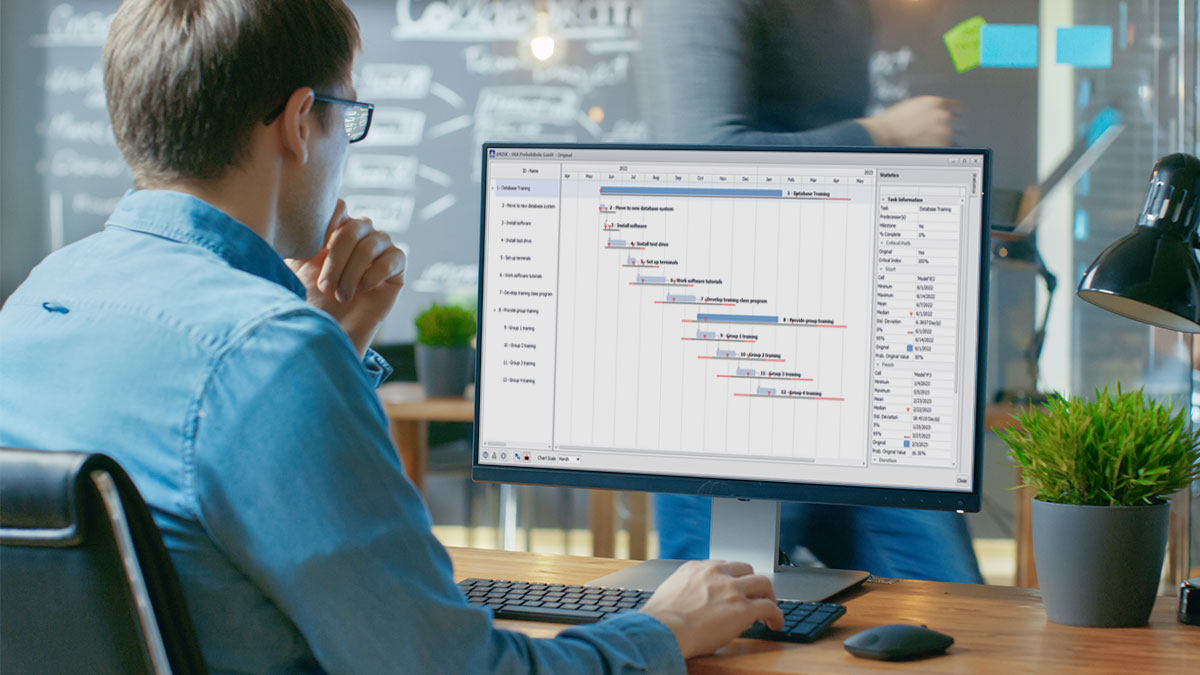
@RISK for Project helps project managers realize the effects of uncertainty at every stage in their proposed strategy. Moreover, as an add-in to Microsoft Project it integrates seamlessly into project plans, virtually eliminating training time, and allowing for quick and effective presentation of realistic forecasts. This level of control and ease of use supports effective allocation of resources, thus mitigating the chance of finishing late or over budget, or having the project cancelled outright.
:: @RISK for Project Shows You Many Possible Outcomes
@RISK for Project employs Monte Carlo simulation as the basis for creating a picture of all possible outcomes. Simply by running a simulation, @RISK for Project takes your project model from representing just one possible outcome to representing thousands, if necessary. With @RISK for Project, you can answer questions like, "What is the probability of completing this milestone on time and under budget?" or "What are the chances that this project phase will be completed by this day?”
:: Uncertainty is Easily Defined
@RISK for Project allows you to replace uncertain values in your spreadsheet with @RISK probability distribution functions such as normal ("bell curve"), uniform, and triangular distributions. Plus, the built-in distribution viewer lets you preview various distributions before selecting them, quickly and easily. You can also use your own historical data and @RISK for Project's integrated data fitting tool to select the best function and the right parameters.
:: Branching and Conditional Modeling
@RISK Professional for Project allows you to build logic into your Project schedules for even greater realism. Probabilistic Branching lets a project branch from one task to any number of other tasks during simulation to account for chance events. IF/THEN Conditional Modeling changes project values, or branches to another task, if a pre-defined condition occurs during simulation.
:: @RISK for Project Features
learn more about @RISK for Project ![]()
download a free trial version of @RISK for Project ![]()
@RISK and DecisionTools Expanding in Finance continued from above
The theme: how @RISK and the DecisionTools Suite could help them gain and maintain the edge needed to prosper in today’s incredibly volatile markets.
:: Palisade User Conference Europe Spans Industries, Applications
The event was Palisade's 2006 User Conference: Europe, held June 22-23. Practitioners attended from companies such as GE Money Home Lending, Hitachi, Unilever, Network Rail, Halcrow Group, Siemens, Infineon AG, IKB Deutsche Industriebank, AG Soluziona, ioMosaic Corporation, Pantektor, Istria, and Moore Stephens, among other distinguished organizations. Applications of Palisade software ranged from how to structure and price credit assets to the management of project risk in a portfolio to assessing investment risk in energy markets. Industries represented ran the gamut, and included real estate, construction, banking, consumer products, microchip manufacturing, transportation, and more.
:: @RISK and DecisionTools Suite Application Presentations Available Now
The breadth and substance of the conference is now available online in the form of presentations given by some of the industry experts. The presentations are available for free download so that the ideas can be shared with and disseminated among colleagues
:: Comments from Industry Leaders
"The Palisade Conference was the perfect opportunity for risk professionals from across Europe to come together and discuss best practice in the risk analysis field."
-
Paul Wilmott, Author and founder of WILMOTT Magazine
"The Conference exceeded my expectations - a great opportunity to meet industry risk experts, exchange ideas, make new contacts and question the @RISK developers."
- Tim Wells, Senior Coastal Scientist, Halcrow Group Ltd
"The Palisade conference was a great opportunity to meet both experts from other industries and risk analyst professionals. I gained new insights both from presentations as well as discussions."
- Joerg Guenther, IKB Deutsche Industriebank AG
"I found the Palisade conference quite useful - especially because it brought together experts, both from academia and across various industries to discuss fundamental areas in risk.using Palisade software."
- Amar Dhayatker, Head of Planning and Forecasting Risk, GE Money Home Lending UK
view and download presentations ![]()
read the press release ![]()
read more delegate comments ![]()
learn more and register for the 2006 Palisade User Conference: Americas ![]()
Ask Amy continued from above
If you want to use Excel’s Solver, you can do so via macros. @RISK has the ability to call macros between iterations. This is especially useful when a model needs to perform some type of iterative calculation between generating the random samples and storing the output result.
To run a macro during simulation, the @RISK functions must be "locked" during the extra worksheet recalculations. Otherwise the @RISK functions will resample and the model will not remain static during the processing of the macro. This is especially problematic if the cells targeted by the macro are dependent on the cells with @RISK functions.
To begin, design the macro to first make static copies of the random samples for the optimization process to act on. That is, the input samples are placed as values into the model via the macro. It must be this way (disconnected from the model) so the Solver routine can freely recalculate the model without the @RISK functions re-sampling new values with each recalculation, thus allowing the Solver routine to solve based on the static model.
Click on the “@RISK Solver Example” link below for a sample spreadsheet model. In the example you will note a macro called "PlaceSampleAndRunSolver" which first places the static copy of the @RISK function sample into the model and then starts the Solver optimization. The series of events that occur with each iteration are as follows:
The result population will be a distribution of optimal results. Try it out.
Note: Before you run a simulation on the example, you’ll need to check that the reference to the Solver add-in from within your VBA application is correct. To do this, first launch @RISK. From your Excel menu select Tools > Macros > Visual Basic Editor. Within the VBA module, select Tools > References. This will bring up a list of all available references. Make sure SOLVER is checked. If Solver is not listed, or if it’s listed but is labeled MISSING, you’ll need to locate the Solver.xla file on your computer using Windows Search. Once you’ve located the file, click on the ‘Browse’ button to the right of the References list. A window will appear with the title ‘Add Reference’. At the bottom of this window, in the field labeled ‘Files of type:’, click on the drop-down arrow and select ‘Microsoft Excel Files (*.xls,*.xla)’. Browse to the location of the Solver.xla file on your computer and click ‘Open’. Click ‘OK’ in the ‘References’ window. You should now be ready to run a simulation on the example.
learn more about RISKOptimizer ![]()
@RISK Solver example ![]()
KnowledgeBase articles about Palisade Software ![]()